For nonprofits
Every donation booked, received and on the shelf.
Dock Optimizer is the back-office system for nonprofits that run on in-kind giving: food banks, family houses, shelters and pantries. Donors book their drop-off online, your team sees what is coming, and what arrives goes straight into inventory that volunteers keep current from an iPad.
Already on Dock Optimizer?
Sign in with your email, or the work account you signed up with.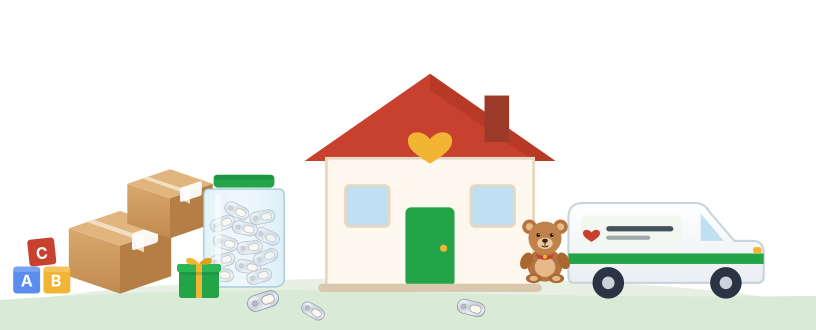
Two jobs, one system
Receiving and inventory in one place
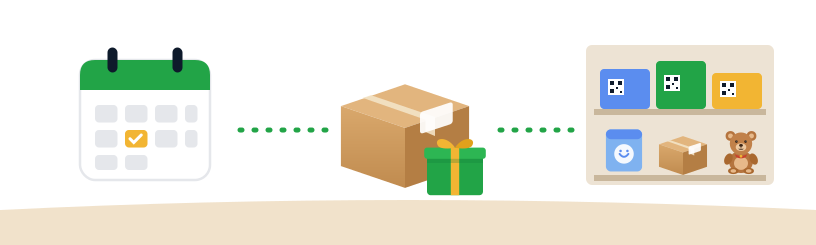
Most tools do one half. Donation scheduling lives in one place, supplies in another, and someone retypes between them. In Dock Optimizer a gift is booked, received and shelved in one record.
The front of the back door
- A drop-off booking page for each site, with the questions you choose.
- Confirmations with directions and a pass for the donor.
- One calendar of everything arriving, by site.
- Check-in at the door, with photos and notes.
- Groups, schools and companies giving on behalf of an organization.
Every closet, pantry and storeroom
- Every storage spot as a location, with QR labels on the bins.
- Volunteers count, add, take and move stock from an iPad.
- Count by the case or by the each.
- A restock list when a closet runs low.
- Supplier invoices read straight into a receipt.
For the people who do the work
Each person sees the part they run

Front desk
Every drop-off booked for the day, who is coming and what they said they would bring. A front desk volunteer login shows bookings and nothing else.
Inventory volunteers
Scan a closet's label, count what is there, move a case from storage to the floor. Their login reaches the scan page only.
Development team
In-kind gifts arrive by email on a schedule, with the same columns each time, ready for the donor database. Donor names can be kept off the public booking page.
Leadership
What came in, what went out and what is running low, across every site, without asking anyone to pull a spreadsheet.
For donors
Giving should be as easy as the reason for it
A family with a bag of toys, a scout troop with a jar of pull tabs and a company with a pallet of diapers all go through the same simple steps.

- They book a time
From your booking link, on any phone. No app and no account.
- They know where to go
A confirmation with directions and a pass, so your team is ready when they arrive.
- You receive it
Checked in at the door, with photos and notes, and recorded before they leave.
- It goes on the shelf
Into the right closet or storeroom, counted by the case or the each.
- They are thanked properly
The gift is on record with the date, the donor and what was given, for your development team.
More than one site
Every building in one account

Moves between sites
When one site has more than it can store and another is short, the move is scheduled like any delivery, and both inventories update when it arrives.
When a drive gets big
A corporate partner or a food bank delivering by the pallet books dock time like any carrier, and partners can book on your behalf.
Ask it in plain English
Connect Claude at no cost and ask "what is low in the housekeeping closet?", or drop in a supplier spreadsheet. Claude shows each change before it makes it.
Your data stays yours
Each organization sees only its own records, and every login reaches only what that person's job needs.
Built with Ronald McDonald House Philadelphia
Shaped by a nonprofit that runs on it
Ronald McDonald House Philadelphia books donation drop-offs, receives gifts and manages supplies across its Houses and its kitchen in Dock Optimizer. The volunteer login, counting by the case, labels on every closet and reading supplier invoices all exist because their team asked for them.
Read the story
How a House moved its donations and supplies off spreadsheets, on conmitto.io.
Frequently asked questions
- Do donors need an app or an account?
- No. Donors use your booking link from any phone or computer. They pick a time, say what they are bringing, and get a confirmation with directions.
- Can volunteers help with inventory without seeing donor details?
- Yes. An inventory volunteer login reaches the scan page only: count, add, take and move supplies. It does not show scheduling or donor information.
- We give food or supplies out to partner agencies. Does it fit?
- Yes. When you sign up as a nonprofit you choose whether donations mostly come in or orders mostly go out, and your starting setup follows that choice.
- We run more than one site. Is that one account?
- Yes. Each building, kitchen or storage site is a facility in the same account, and moving supplies between them is tracked on both ends.
- What does it cost?
- Creating an account is free, and so is connecting Claude. Talk to us about pricing for your sites; we work with nonprofits on it.